
Open the day
The calendar shows every physician side by side: availability shaded, appointments placed to the minute, a live line marking "now".
A browser tab is all a clinic needs. No installs, no servers in the closet. Just the whole day, live, on one screen.
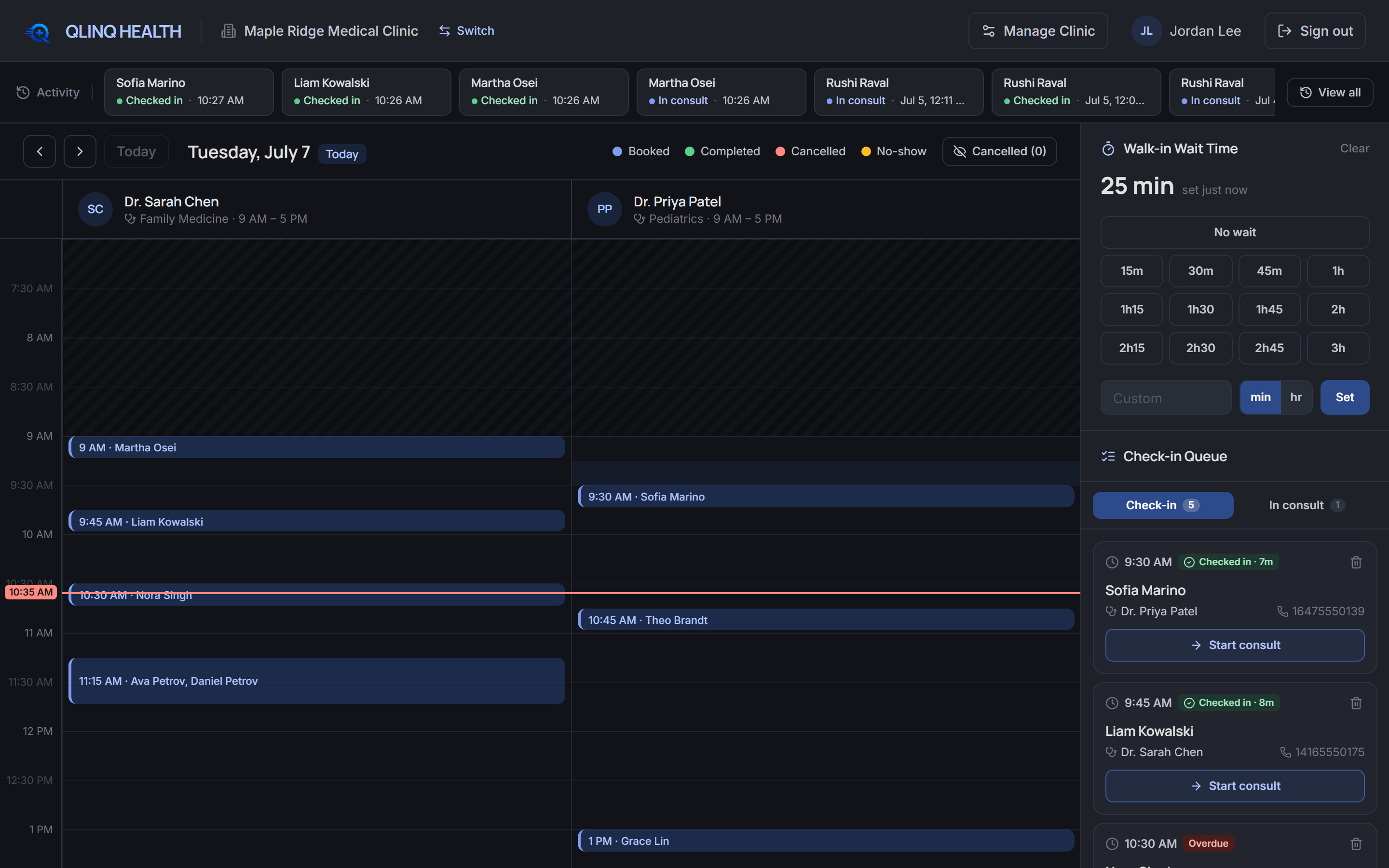
The calendar shows every physician side by side: availability shaded, appointments placed to the minute, a live line marking "now".
Booked patients check in with a click; walk-ins get a real slot in seconds. Everything lands in the shared queue.
Call, complete or dismiss. Statuses update on every terminal instantly, with a full activity log behind them.
One number, updated when it changes, and every patient's phone knows before they've picked up theirs to call you.
Any card opens the full picture: patient demographics, dependents, notes and the account holder's contact.
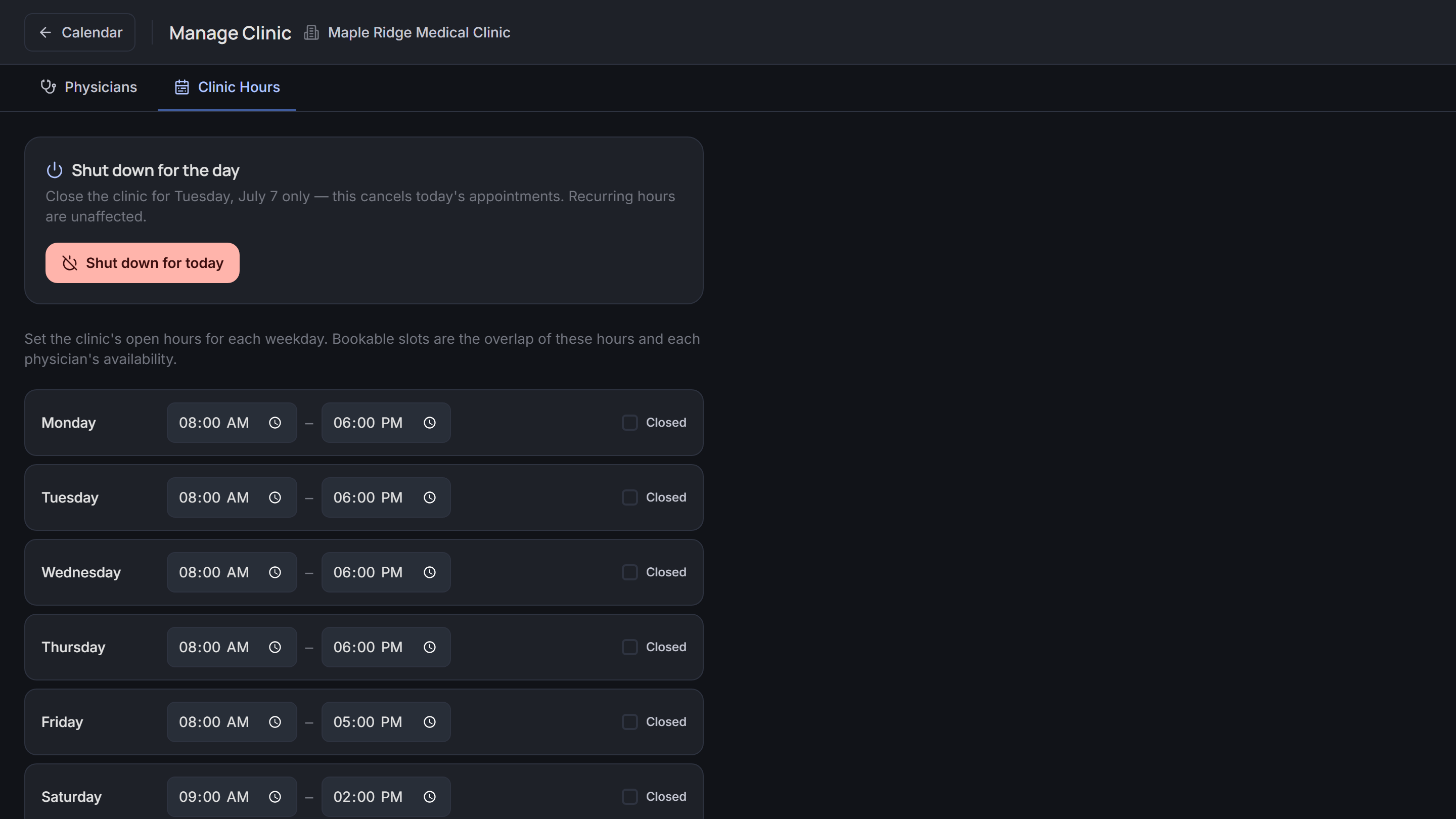
Hours, closures, shutdowns, physicians and their weekly availability: all self-serve, all live immediately.
Fifteen minutes, your real workflows, our real product. We'll show you the whole day.